Track and Object based Surround Panning
The arrangement of audio in the surround space can be done in two different ways, track based or object based.
Track based Surround Panning
By default, the audio signal of all objects passes through the channel strip of the corresponding mixer track. This track can be assigned a position in the surround panorama via the Surround Editor in the associated channel strip of the mixer. All objects contained in this track are thus also positioned at this point in the surround panorama.
Object-Based Surround Panning
To assign individual objects their own surround position independently of track-based panning, each object can be routed directly to a surround master or another surround submix bus.
To do this, open the object editor of this object by double-clicking on it, switch to the tab FX and open the Surround Routing menu in the section Pan by clicking on the Surround button.
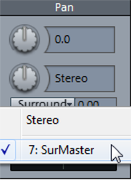
Select a surround bus or master from the menu to route the object to the appropriate bus or master. Hold down the "Ctrl" key while selecting in the object editor to route the object to multiple busses at the same time and thus combine different surround pannings. An additional slider appears in the object editor which can be used to adjust the object's send level to the Surround Bus or Master.
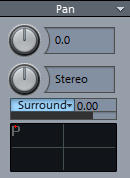
Right-clicking in the surround panorama field below opens the corresponding Surround panorama editor. Here you can set the positioning in the Surround panorama. Object-based Surround panning is displayed in the object view in the arranger with the appendix -> Sur.
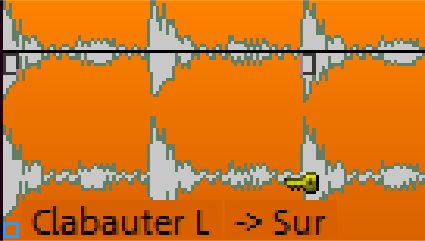
Note: With object-related surround panning, the audio signal no longer passes through the channel strip of the associated mixer track. All settings made there (AUX send, EQ, etc.) have no effect on this object.